Replace Heater Thermostat: Step-by-Step Guide
Learn how to replace your heater thermostat safely with a clear, step-by-step approach covering tools, wiring, testing, and maintenance for 2026.


To replace a heater thermostat, turn off power, remove the old unit, and wire in the new thermostat using matching terminals. Verify compatibility with your system, mount the base, and test operation before returning power. This guide covers common low-voltage and line-voltage models, safety cautions, and troubleshooting to ensure a reliable temperature control.
Why replace heater thermostat matters
Replacing a heater thermostat is a strategic upgrade that can improve comfort, energy efficiency, and control over your heating schedule. According to Heater Cost, modern thermostats—whether programmable, Wi-Fi connected, or smart—offer more precise temperature management and better integration with current heating systems. Compatibility matters: some systems use low-voltage wiring (often 24 VAC) while others rely on line-voltage wiring (120/240 VAC). Signs that a thermostat may be failing include unresponsive controls, large temperature swings, persistent heat, a display that won’t power on, or irregular cycling. If you notice frequent resets or short cycling, replacement is prudent. While basic replacements often take under an hour for the right model, legacy or high-voltage units may require professional help. Power must be disconnected to avoid shock or equipment damage. This guidance emphasizes safety, proper labeling, and confirming compatibility before you buy.
Thermostat types and compatibility
Thermostats come in several formats, each with different wiring needs and features. Low-voltage (24 VAC) models are common in modern forced-air and hydronic systems and typically use a standard set of terminals like R, W, Y, G, and C. Line-voltage thermostats switch mains power directly and are used with standalone electric baseboard or radiant systems; these require careful handling and often professional installation. Digital and smart thermostats add features such as scheduling, learning algorithms, and remote control, but may require a C-wire or a different mounting approach. Before purchasing, verify your furnace or boiler’s compatibility, confirm whether your wiring is single-stage or multi-stage, and check if your system supports dual voltage. Always reference your HVAC equipment manual and the thermostat’s compatibility chart.
Safety prerequisites and risks
Safety comes first when replacing a heater thermostat. Always power down at the breaker and, if applicable, switch off the furnace switch. Use a non-contact voltage tester to verify there is no live current before touching wires. If you smell burning insulation, see scorch marks, or notice damaged wiring, stop and call a professional. Keep children and pets away from the work area. Wear safety glasses and insulated gloves if handling exposed conductors. After installation, test the system at a low heat setting to ensure there are no short cycles or unexpected heating. If you’re unsure about wiring or the thermostat type, consult a licensed HVAC technician. This approach aligns with safety best practices outlined by national energy guides and the Heater Cost analysis.
Tools and materials you’ll need
Before you start, gather essential tools and the replacement thermostat that is compatible with your system. Typical items include a screwdriver set (Phillips and flathead), a non-contact voltage tester, a multimeter or voltage tester, wire strippers, electrical tape, wire nuts, mounting screws, a wall plate if needed, and the new thermostat with matching voltage/terminal configuration. It’s also wise to have the system’s manual or wiring diagram handy and to label wires as you remove them to avoid confusion later. If you’re working on a gas furnace, ensure you also have a carbon monoxide detector nearby and know how to shut off gas supply if required by your model. Labeling photos can help ensure accurate reassembly.
Understanding wiring: low-voltage vs line-voltage
Low-voltage thermostats (the majority of modern homes) operate at about 24 VAC and connect to a furnace or air handler via a standard terminal strip. They require careful matching of wire colors to terminals (R, C, W, Y, G, etc.) and often need a common wire for constant power. Line-voltage thermostats switch the mains directly and are used with electric resistance heating or baseboard systems; wiring these correctly is critical for safety and function. If your system uses a heat pump, heat stage wiring may include O/B and Aux connections. Always consult the thermostat manual to map the existing wires to the new unit and avoid miswiring, which can cause damage or dangerous conditions.
Step-by-step overview (high level)
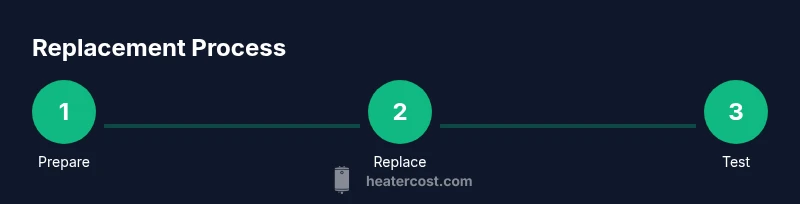
This section provides a high-level view of the replacement workflow without duplicating the formal Step-by-Step guide. Begin by powering off at the main breaker, inspecting the existing wiring, and documenting mappings. Remove the old thermostat, label wires, and install the new mounting plate. Connect wires to the corresponding terminals on the new thermostat, secure the device to the wall, restore power, and run a test cycle. If your model supports learning or adaptive features, configure them after confirming basic operation. For more precision, follow the detailed Step-by-Step instructions that accompany your thermostat model.
Testing, calibration, and troubleshooting
After installation, test the thermostat in both heat and cool modes (if applicable) and verify that the system responds to temperature changes. Check for proper communication with the furnace or boiler and confirm that the display reads correctly. If the unit cycles too quickly or not at all, recheck wire connections and ensure that the C-wire is properly connected if required. Calibrate temperature offset if your unit supports it and adjust schedule settings to align with household routines. Common issues include miswired terminals, dead batteries in wireless remotes, or a failed C-wire. If problems persist, consult the thermostat’s troubleshooting guide or contact an HVAC professional.
How to choose a replacement thermostat: features, compatibility, and cost considerations
When selecting a replacement thermostat, prioritize compatibility with your heating system, the presence of a C-wire, and whether you want smart features like Wi-Fi control, voice assistant integration, or energy-use reports. Consider the number of stages your system supports and whether you need a simple programmable model or a learning thermostat. You’ll also want to evaluate installation complexity, compatibility with existing wiring, and any required power sources. Price ranges vary by features and brand, so balance upfront cost with long-term energy savings and convenience. The Heater Cost guidance emphasizes choosing a model that aligns with your goals for comfort and efficiency in 2026.
Maintenance and long-term care
After replacement, perform regular checks to ensure the thermostat reads accurately and responds promptly. Periodically inspect the wiring at the thermostat for signs of wear or loose connections. If you have a condensate line or humidifier, verify that these components aren’t interfering with thermostat signals. Update firmware on smart thermostats if available, and replace batteries in wireless remotes on schedule. Establish a simple maintenance routine to prolong the life of your thermostat and the heating system, and keep a record of model numbers and installation dates for future service.
Tools & Materials
- Screwdriver set (Phillips and flathead)(4-6 inch handles; magnetic tips help with small screws)
- Voltage tester / multimeter(Test for live wires; set to AC volts for low-voltage checks)
- Wire strippers/cliers(Prepare wires for secure terminal connections)
- New thermostat compatible with your system(Check voltage type, terminals, and mounting style)
- Electrical tape(Seal exposed conductors and label wires)
- Wire nuts and extra mounting screws(Secure connections and mount base plate)
- Labeling materials (tape and pen)(Tag wires during removal to avoid miswiring)
- User manuals for existing system and new thermostat(Reference wiring diagrams and features)
Steps
Estimated time: 30-60 minutes
- 1
Power down and verify no voltage
Shut off power at the main breaker and, if applicable, the furnace switch. Use a voltage tester to confirm there is no live current at the thermostat wires.
Tip: Double-check the circuit with a tester before touching any wires. - 2
Remove thermostat cover and capture wiring layout
Take off the faceplate and reservoir cover. Photograph or sketch the wire positions and note any wire colors connected to each terminal.
Tip: A quick photo saves time and reduces mistakes during reassembly. - 3
Label wires and map to terminals
Label each wire with its terminal tag (e.g., R, W, Y, G, C). If the wires aren’t clearly colored, use the photo as a reference to avoid cross-connection.
Tip: Labeling prevents confusion if wires shift during removal. - 4
Disconnect old thermostat wiring
Carefully disconnect wires from the old unit and store them safely. If wires are frayed, trim and strip ends neatly for the new terminal connections.
Tip: Do not yank wires; work slowly to preserve insulation. - 5
Mount the new thermostat base
Install the new mounting plate on the wall at a comfortable height. Ensure level alignment and use proper anchors for the wall type.
Tip: A level helps ensure even mounting and avoids future readjustments. - 6
Connect wires to the new thermostat
Attach wires to corresponding terminals on the new unit according to the wiring diagram. Use wire nuts if necessary and ensure secure, snug connections.
Tip: Keep wire conductors tidy to prevent shorts. - 7
Attach faceplate, restore power, and test
Power the system back on and perform a basic heat cycle to check response. Confirm the thermostat reads temperature accurately and commands the furnace correctly.
Tip: If your thermostat requires a C-wire, verify it’s connected and powered. - 8
Calibrate settings and finalize configuration
Adjust temperature offsets, schedules, and any smart features. Run multiple cycles to ensure consistent performance across different setpoints.
Tip: Document model and settings for future maintenance.
Got Questions?
Do I need to shut off power to replace the thermostat?
Yes. Always disable power at the breaker before touching thermostat wiring to avoid shock or damage.
Yes, make sure the power is off at the breaker before starting.
Can I replace a thermostat on a gas furnace myself?
Many homeowners can replace a thermostat on non-gas controls, but gas furnaces with complex wiring or safety interlocks may require a licensed HVAC technician.
It’s usually possible, but if your furnace is gas-powered and has safety interlocks, consider a professional.
What if the old wiring doesn’t match the new thermostat terminals?
Check the new thermostat’s wiring diagram and map each wire using your initial photo. If the wiring cannot be matched, choose a thermostat that supports your original configuration.
Map each wire with reference photos; if it won’t match, choose a compatible model.
How long does replacement take?
Most replacements take roughly 30 to 60 minutes, depending on system type and wiring complexity.
Around half an hour to an hour, depending on the setup.
What tools do I need for the replacement?
A screwdriver set, voltage tester, wire strippers, electrical tape, and the correct replacement thermostat are essential.
Screwdrivers, a tester, wire strippers, tape, and the new thermostat.
Should I recalibrate after replacement?
Yes, adjust temperature offsets and schedules if your thermostat supports them, then monitor the system to ensure consistent performance.
Yes, calibrate and test across settings.
Watch Video
The Essentials
- Identify system type and thermostat compatibility.
- Label and map wiring accurately to avoid miswiring.
- Test operation across heating modes before finalizing.
- Consider professional help for high-voltage or gas-furnace systems.
- Document model numbers and settings for future maintenance.