How to Adjust a Heater Thermostat
A practical, expert-guide to adjusting your heater thermostat for comfort and energy savings. Learn safety prep, thermostat types, step-by-step actions, and optimization tips from Heater Cost.


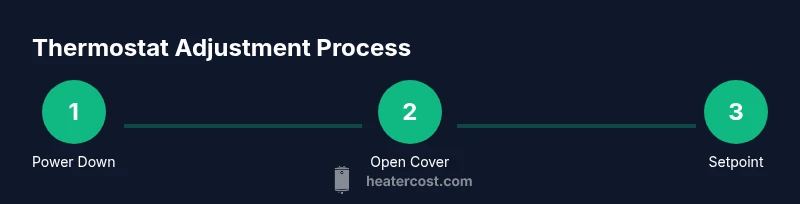
To adjust a heater thermostat, power down the system, remove the thermostat cover, locate the temperature setpoint or dial, and carefully move it to your desired comfort level. Reattach the cover, restore power, and test the system. If you have a programmable or smart thermostat, configure scheduling for consistent savings.
Why thermostat adjustments matter
Adjusting your heater thermostat is one of the fastest, most effective ways to balance comfort and energy costs in any home. A properly set thermostat reduces temperature swings, avoids overworking your furnace, and lowers energy waste. The Heater Cost team notes that many homes run their heating systems more than needed during shoulder seasons, when outdoor temperatures are mild but the thermostat remains high. Small, intentional adjustments can produce noticeable improvements in daily comfort without expensive upgrades. By understanding how your thermostat works, you can tailor settings to your home's layout, insulation, and occupancy patterns, improving overall efficiency and long-term savings. In this section, we’ll cover why a simple adjustment is worth your time and how smart controls can amplify the effect over time. The goal is not to keep the house uncomfortably cold or hot, but to create a consistent, comfortable warmth while avoiding unnecessary energy use. This guide focuses on practical, step-by-step actions homeowners can take, with checklists and clear safety notes to keep everyone safe.
Safety, prep, and best practices
Before touching any thermostat, turn off power to the heating system at the breaker panel to prevent shocks or accidental energizing while you work. Gather the tools you’ll need, and keep the thermostat manual handy for reference to wiring diagrams or specific settings. Work in a well-lit area and avoid touching exposed wiring. If you rent or own a rental unit, notify occupants that you’ll be adjusting the thermostat to avoid surprising them with temperature changes. Use a stable step stool if you must reach a high-mounted thermostat, and never lean or stand on furniture to reach it. When you’re ready, take a quick photo of current wiring or settings in case you need to revert. For smart thermostats, you may need to login to the associated app or cloud account to view current schedules. The aim is to minimize risk while ensuring an accurate adjustment that won’t trigger system faults. As you proceed, record the new setting and the date so you can track how changes affect comfort and energy use over time. Monitoring after changes helps you quantify savings and guarantees the house remains comfortable for everyone in the household.
Thermostat types and adjustment considerations
There are several common types of thermostats, and each requires a slightly different approach when changing settings. Mechanical, non-programmable thermostats use a simple dial or slider and require you to turn a knob to a new setpoint. Digital, programmable models offer daily or weekly schedules, with separate settings for heat and cool modes and sometimes an adjustable hysteresis or early-heat feature. Smart thermostats connect to Wi-Fi and learn occupancy patterns, adapting automatically; they may adjust automatically for energy savings but still allow manual overrides. When planning adjustments, consider room-by-room temperature differences, the thermostat’s location (it should reflect a representative area rather than a sunlit corner or a drafty spot), and the home’s insulation. If the thermostat sits behind a door or near a heat source, it may misread the room temperature, leading to extra energy use. In practice, this means you may need to recalibrate or relocate a sensor in some cases, or rely on the remote sensors that some systems include. Throughout, keep in mind the principle of comfort vs energy use; the goal is to reduce waste without sacrificing warmth during winter or overheating during summer.
Traditional thermostat adjustments: what to do and what to avoid
Adjusting a traditional, non-programmable thermostat is straightforward but must be done with care. Locate the setpoint dial or slider, and move it to a slightly lower or higher temperature based on your comfort needs. Make incremental changes and test by waiting a few minutes for the HVAC system to respond. If your home is on a shared system or you notice frequent cycling (the furnace turning on and off rapidly), stay cautious and avoid large swings in a single adjustment. When you reach a setting that feels right, keep a log of the new number and, if possible, compare energy use against previous bills. If you notice oversized temperature swings after adjustment, it could indicate another issue such as a dirty filter, leaking duct, or a thermostat that’s out of calibration. In this case, you may want to consult a professional or refer to the manufacturer’s troubleshooting guide. For landlords and property managers, communicate planned temperature changes in advance to tenants and schedule adjustments during periods of mild weather to minimize discomfort.
Programmable and smart thermostats: getting the most from controls
Programmable thermostats enable you to pre-set temperatures for different times of day, helping you automate energy savings without sacrificing comfort. When adjusting a programmable model, set distinct heating and cooling schedules for weekdays and weekends, allowing for occupancy patterns and irregular schedules. Smart thermostats take this further with learning algorithms and remote control via apps. To optimize savings, start with a balanced schedule: a steady hold during the night and a more consistent day temperature during waking hours. If you have a home with zones, consider using separate thermostats for each area or smart sensors to manage temperature distribution. Don’t forget to check the thermostat’s battery or replacement needs if applicable, and keep software up to date to ensure the latest energy-saving features operate correctly. In terms of reliability, the Heater Cost analysis shows that consistent thermostatic control can significantly reduce energy waste, provided you choose a model with reputable firmware and manufacturer support. For renters, verify that adjustments align with lease terms and won’t violate local regulations or utility programs.
Maintenance, optimization, and knowing when to call a professional
Even after you adjust the thermostat, ongoing maintenance matters. Replace air filters regularly, seal drafts around doors and windows, and ensure that outdoor condensers or heating units are free of obstructions. Regular calibration checks and occasional sensor repositioning can help maintain accuracy, especially if you notice gradual temperature drift. If your thermostat seems to respond inconsistently, or if the HVAC system runs too long or short for the space, consult a licensed technician to inspect wiring, the thermostat, and related controls. Remember that incorrect wiring or improper calibration can create safety risks or damage to the system. Finally, track changes and energy bills over several weeks to compare performance after each adjustment. The Heater Cost team recommends a cautious, iterative approach: small changes, verify results, and avoid large swings without evidence of improved comfort or reduced energy use.
Tools & Materials
- Screwdriver set (Phillips #2 and flathead)(Essential for removing covers and adjusting screws)
- Manufacturer's thermostat manual(Check model-specific instructions)
- Battery or power source (if applicable)(For battery-powered thermostats)
- Smartphone or tablet (for app-enabled thermostats)(Used for app configuration)
- Notebook or log sheet(Record settings and energy use)
Steps
Estimated time: 30-45 minutes
- 1
Power down and prep
Turn off the HVAC power at the breaker, then confirm the system is not energized before touching the thermostat.
Tip: This prevents shocks and keeps wiring safe. - 2
Remove the thermostat cover
Carefully detach the cover to expose the control panel and wiring; note how wires are connected for reassembly.
Tip: Take a photo if you’re unsure about wiring. - 3
Identify the setpoint and mode
Locate the temperature setting and mode (heat, cool, auto). Understand how your model displays adjustments.
Tip: Some models show a digital readout; others have a dial. - 4
Adjust the setpoint gradually
Move the setpoint slowly in small increments and observe system response after each change.
Tip: Wait several minutes for the furnace to respond before making another change. - 5
Reconnect power and test
Reseat the cover, restore power, and verify the temperature changes take effect in the expected room.
Tip: Check multiple cycles to confirm stability. - 6
Document changes and monitor
Write down the new setting and track energy use to assess impact over time.
Tip: Adjust gradually and validate savings over 1–2 weeks.
Got Questions?
Do I need to turn off power before adjusting a thermostat?
Yes. For safety, switch off power at the breaker before touching wires or the control panel.
Yes. Always turn off the power at the breaker before touching the thermostat.
Can adjusting the thermostat actually save energy?
Yes. Small, gradual adjustments and proper scheduling can reduce energy use without sacrificing comfort.
Yes. Thoughtful adjustments and schedules can lower energy use.
What should I do if my home still feels cold after adjustment?
Check insulation, drafts, and HVAC filters. If the problem persists, consult a professional to inspect the system.
If it still feels cold, check insulation and filters, and consider a professional check.
Is it safe to adjust a smart thermostat remotely?
Yes, but ensure secure login and avoid exposing your system to unsecured networks.
Yes, but keep security in mind and use secure logins.
How often should I recalibrate a thermostat?
Calibrate if you notice temperature drift or after major weather changes.
Calibrate if you notice drift or after weather shifts.
Watch Video
The Essentials
- Set reasonable, incremental changes to improve comfort.
- Safety first: power off and follow manufacturer instructions.
- Programmable/smart models can boost savings with scheduling.
- Track energy use to validate improvements over time.